Skip to navigation
Skip to main content



Phone Carrier Compatibility: How to Check Before You Buy

On this page
Shop by condition
Every phone fully tested. Never a cracked screen.
A phone works on your carrier when two things are true: it is not locked to a different provider, and its radio hardware supports your carrier’s network. Both can be checked in about ten minutes with the phone’s exact model number and its IMEI (the unique 15-digit ID every phone has). Do that before you commit, and a refurbished phone from Grasshot’s iPhone, Samsung, Google Pixel or Motorola categories is no riskier to bring to a carrier than a new one. Each Grasshot phone is functionality tested, comes with a one-year warranty and can be returned free within 30 days.
Grasshot
Explore refurbished phones from major brands, with functionality testing, a one-year warranty, and a 30-day return period.
TL;DR
- “Unlocked” and “compatible” are two different things. Unlocking removes a software block, but the phone can still lack the radio technology a network uses.
- Match the exact model number, not just the name. Two versions of the same Galaxy can behave differently on one carrier.
- Enter the phone’s IMEI into your carrier’s bring-your-own-device checker. It is the quickest and most exact test.
- Check features as well as basic service: 5G, VoLTE (calls over the 4G/5G network) and Wi-Fi Calling vary by model and carrier.
- Use the 30-day return window to confirm everything with your own SIM before you settle in.
What carrier compatibility actually means
Compatibility has two layers, and a phone has to pass both.
Layer one is the lock. A carrier can lock a phone it sold so that it only accepts that carrier’s SIM. The FCC explains that phones not specifically sold as unlocked are probably locked to a provider. A locked phone refuses another carrier’s SIM even if the hardware is perfect.
Layer two is the radio. Carriers use different frequencies (bands) and different network technologies. The FCC notes that not every phone is technologically compatible with every network, and that unlocking may not change that. Verizon’s own criteria reflect this: its bring-your-own-device rules require both an unlocked device and hardware and software that work with its network.
In practice, most phones sold in the U.S. in recent years support the major networks well, but the exceptions are exactly the ones that cost people money: an imported model, an older model, or one variant of a phone that has several.

Step 1: Find the exact model and the IMEI
The name on a listing, such as “Galaxy S22+” or “iPhone SE (2022)”, is a family. The model number identifies the specific hardware variant.
- iPhone: Settings > General > About shows the model name and number. AT&T points to the same screen for the model name and number.
- Android: Settings > About phone shows the model and IMEI. This is also where Verizon says to find the device ID.
- Any phone: dial *#06# to display the IMEI, a shortcut that Consumer Reports lists alongside the settings paths.
When you shop, read the listing for the model name, storage, carrier and condition. Grasshot organizes phones by manufacturer, model, storage, carrier and condition, so you can narrow the list to the carrier you use before you open a product page.
Step 2: Check the lock status
A phone that was bought from a carrier may be locked, and a phone sold directly by the maker usually is not. Google’s Pixel help page says every phone sold through the Google Store is unlocked, while one bought from a mobile provider may be SIM-locked. The same page says a provider-sold Pixel may stay locked for up to two years unless the seller removes the lock or the contract ends.
That matters most when you buy used. The FCC’s advice to anyone buying a new or used phone is simple: ask whether it is locked or unlocked. Read the lock information and carrier field on the listing, and confirm it matches the network you plan to use.
Once you have the phone, you can also look at the setting itself. On Android, AT&T says lock status can be reviewed under Settings > Connections > More connection settings. Carrier support pages describe the equivalent check for iPhone.

Step 3: Run the IMEI through your carrier’s checker
This is the test that settles the question. Consumer Reports calls entering the IMEI into the prospective carrier’s online tool the quickest check before switching. The carrier compares your exact device against its own network, so you are not relying on a general rule.
A few points about these checkers:
- Use the checker for the network you will actually be on. If you will use a prepaid brand that runs on a larger network, use that brand’s own tool, because it may apply its own rules.
- Carrier lists of compatible phones are not exhaustive. Cricket describes its list as partial and subject to change and recommends its IMEI checker as the most accurate test before activation.
- If your carrier is not offered in a checker at all, treat the phone as unverified until the carrier confirms it.
Step 4: Check the features, not just the signal
A phone can “work” and still miss features you rely on. Three are worth checking.
5G
Apple says 5G support is available on iPhone 12 and later, needs a data plan, and depends on conditions at your location and on your network provider. Google makes a similar point for Pixels: they work with all major carriers, but not every Pixel 4a (5G) and later model works on every 5G network, so it advises checking with your carrier.
VoLTE and Wi-Fi Calling
Several carriers expect phones to support calling over the data network. T-Mobile’s guide tells you to confirm that a phone supports its frequencies, VoLTE and Extended Range LTE. Apple’s U.S. carrier page lists carrier-specific support for LTE, 5G, VoLTE, eSIM and Wi-Fi Calling.
Model-level differences
AT&T’s unlocked-device document lists supported features by exact model, including HD Voice, Wi-Fi Calling and 5G, and notes that some models need a software update first. If a feature matters to you, look up your model there or in your carrier’s equivalent.
Why an unlocked Samsung can still be the wrong variant
Samsung is the clearest example of why the model number matters. AT&T’s compatibility list uses the Galaxy S20 to show it: the models G981U and G981U1 are listed as working on AT&T, while G981N and G981O are listed as not working. They are all “Galaxy S20 5G” in a casual search.
For U.S. shoppers, the practical rule is:
- Read the full model number from the listing or the phone’s About screen.
- Compare it with your carrier’s compatibility information, or enter the IMEI once you have the phone.
- Be careful with phones whose model number ends in a letter that does not match U.S. variants, which is a typical sign of an imported device.
The lesson applies to every brand. A name is a family, and a model number is the individual.
Quick reference: what to check for each carrier type
| What to confirm | Why it matters | Where to find it |
|---|---|---|
| Lock status | A locked phone rejects other carriers’ SIMs | Listing details, phone settings, carrier |
| Exact model number | Variants of one phone differ in bands | Settings > About |
| IMEI check | Carrier confirms the exact device | Carrier’s BYOD tool |
| 5G support | Not every 5G phone works on every 5G network | Carrier checker, maker support page |
| VoLTE and Wi-Fi Calling | Calls and texts may depend on them | Carrier device list |
| Software update | Some models need one to enable features | Settings > Software update |
Using a refurbished phone with your carrier
Refurbished and used phones add one question that new phones do not: where did this phone come from? A phone previously sold by a carrier may have carried that carrier’s lock or settings. T-Mobile states it cannot guarantee call quality, speed or feature compatibility for devices it did not sell, because performance can vary with the original carrier’s settings. It also says coverage and high-speed LTE access are not guaranteed in some areas, which is true for any phone on any plan.
Here is a sensible order of operations for a refurbished phone:
- Choose the carrier filter and storage that suit you on the category page.
- Open the product page and note the model and condition (Good or Excellent).
- Check that model against your carrier’s compatibility information.
- Order. Grasshot ships free, and the free 30-day return period gives you time to put in your SIM or eSIM, make a call, send a text and use data.
- Run the IMEI through your carrier’s checker as soon as the phone arrives, then activate.
Because battery guarantees vary by condition and a one-year warranty covers the phone after purchase, you are protected on both the compatibility side and the hardware side. If you want to compare what warranties include, our guide to refurbished phone warranties walks through it, and are refurbished phones worth it covers the wider savings question.
Which models to look at first
If you want fewer variables, start from the carrier you use and then pick a model with broad network support.
- iPhone shoppers: Apple lists 5G on iPhone 12 and later, so a recent model such as iPhone 17 or the iPhone SE (2022) is a natural place to start if 5G matters to you. Browse everything in the iPhone category.
- Samsung Galaxy shoppers: the Galaxy S23+ and Galaxy Z Flip 4 pages show the model, storage and carrier you are buying. Match the model to your carrier before ordering.
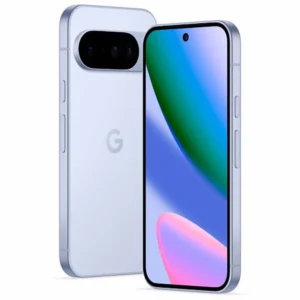
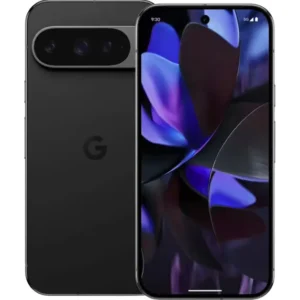
- Google Pixel shoppers: the Pixel 9 and Pixel 8 (5G) are 5G models, which is where Google tells you to confirm with your carrier.
- Motorola shoppers: the Moto G Power 5G 2024 and Razr (2025) are listed in the Motorola category.
Where Grasshot fits
Compatibility is the part of buying a refurbished phone that worries people most, so we built the shopping experience around the details you need to check it. You can browse by manufacturer, model, storage, carrier and condition, and each listing shows how much you save against the price of a new device.
Every phone is tested for functionality and sold in Excellent or Good condition. Each one has a one-year warranty, free delivery and a free 30-day return period. Start with the Samsung Phones or Google Pixel category, or look at the full range from the Grasshot home page.

Buying refurbished also means one fewer new device manufactured. If that matters to you, our piece on why choose a refurbished smartphone explains the case.
Our view on compatibility
Most compatibility problems come from a gap between a name and a model number. People search for “Galaxy S22” or “iPhone 12”, find a good price and assume the rest works out. It usually does, but the careful route costs almost nothing: read the model number, read the carrier, run the IMEI.
That is why we list phones by manufacturer, model, storage, carrier and condition. A shopper should be able to narrow the choice to what suits their network before reading a single product description.
We also think confidence should not rest on the shopper getting every detail right. Our phones are tested for functionality, sold in Good or Excellent condition and covered by a one-year warranty. The free 30-day return period gives a buyer time to confirm everything with their own SIM. We think a refurbished phone from a store that stands behind it is a smarter way to save than paying full price for a new one.
Allwell
FAQ
How do I see what carrier my phone is compatible with?
Find the phone’s IMEI under Settings > About phone on Android, Settings > General > About on iPhone, or by dialing *#06#. Then enter it into the bring-your-own-device checker of the carrier you want to use. The carrier checks that exact device against its network and tells you the result.
Are all phones compatible with all carriers?
No. The FCC says not every phone is technologically compatible with every network, and unlocking may not fix that. T-Mobile says partially compatible phones may have reduced coverage and slower data, while incompatible phones lack the minimum technologies and frequencies. Most recent U.S. models support the major networks, so checking the exact model is usually quick.
Will an unlocked Samsung Galaxy work on my carrier?
It depends on the exact model number. AT&T’s list shows two Galaxy S20 variants as working and two others as not working. Read the model number from the listing, check it against your carrier’s information, and run the IMEI once the phone arrives.
Can I use a refurbished phone with my carrier?
Yes, as long as it is unlocked or locked to your carrier, and its hardware supports your network. Check the carrier and lock details on the listing, match the model number, and run the IMEI through your carrier’s checker. Grasshot’s free 30-day returns give you time to confirm everything with your own SIM.
Why won’t my phone work if it is unlocked?
Unlocking only removes the software block on switching providers. Verizon requires both an unlocked device and compatible hardware and software, and the FCC says carriers use different frequencies and technologies. A missing band, a model variant or an outdated software version can all cause the problem.
Sources
- Cell Phone Unlocking, Federal Communications Commission
- Bring your own mobile device (BYOD) FAQs, Verizon Support
- Bring your own device (BYOD) guide, T-Mobile Support
- Use your Pixel phone with any mobile carrier, Pixel Phone Help
- Devices working on the AT&T network, AT&T
- Service Capabilities for your Unlocked Device, AT&T
- Checking if your phone is carrier locked, AT&T
- Wireless carrier support and features for iPhone, Apple Support
- BYOD Compatibility, Cricket Wireless
- How to Unlock Your Phone From Any Major Carrier, Consumer Reports
Recommended
Shop with Grasshot
“Looking for a better way to buy your next phone? Explore Grasshot’s selection of refurbished and pre-owned Smartphones including iPhones, Samsung Galaxy devices, Google Pixel, Motorola and many more smartphone devices built for performance without the premium price.”
Related Reading
Shop by condition
Every phone fully tested. Never a cracked screen.
Latest articles


A brand you can trust
Not happy with your purchase? Get in touch and we’ll do our best to make it right. It’s one more way we earn your trust.
Find your next phone
Refurbished and pre-owned phones from the brands you already know.