Skip to navigation
Skip to main content


Phone Software Updates: How to Install Them and Check Support

On this page
Shop by condition
Every phone fully tested. Never a cracked screen.
A phone software update is a new version of the operating system (iOS on iPhone, Android on Samsung, Pixel and Motorola) that fixes security holes and bugs and sometimes adds features. You install it in Settings, usually under Software Update, with the phone charged, on Wi-Fi and backed up. If you are buying a refurbished phone, the more useful question is how many years of updates its model still has left, because that decides how long it stays safe to use.
This guide covers both: the exact steps on each type of phone, what to do when an update fails, and how to check update support before you buy.
Grasshot
Compare refurbished iPhone, Samsung, and Pixel models by model, condition, and price, with tested functionality and a one-year warranty.
TL;DR
- Updates deliver security fixes, bug fixes, performance work and new features, so install them rather than postponing them.
- On iPhone go to Settings > General > Software Update. On Samsung go to Settings > Software update. On Pixel go to Settings > System > Software update.
- Before updating, back up, plug in, connect to Wi-Fi and free up storage.
- Security patches matter more than new features. A phone that still gets monthly security patches is safe to keep using.
- When you buy a refurbished phone, pick a model that still has years of update support ahead of it. Recent Pixel, Galaxy and iPhone models do.
What phone software updates do
Verizon describes a software update as the newest version of an app or other program on your phone, and lists security fixes, performance upgrades, bug fixes, new features and compatibility fixes as what updates deliver. Two kinds matter to you:
- Major version updates (for example a new iOS or Android number). These change the look of the phone and add features.
- Security and system updates. These are smaller and more frequent. They close vulnerabilities that attackers already know about.
The second kind is the one that protects you. Privacy International explains that a device running out-of-date software remains exposed to vulnerabilities that newer versions have already fixed. Google also says Android updates include security patches against malware, better performance and battery management, and fixes for crashes and freezes.
On Android, some parts of the system update separately through Google. Google states that its system services updates automatically deliver security fixes, bug fixes and new features to Google-certified Android devices, which is why you may see a “Google system update” in addition to the update from the phone maker.
Before you install any update
Most failed updates come from the same few causes: low battery, too little storage, a weak connection or an interrupted download. A short routine avoids nearly all of them.
- Back up. Apple recommends backing up with iCloud or a computer before updating. On Android, use Google’s backup or your phone maker’s backup tool.
- Plug the phone in. Do not start an update on a low battery. Keep the charger connected.
- Use stable Wi-Fi. Big downloads over a weak connection are the most common reason updates stall. Apple also notes that a VPN or proxy connection can stop the phone from reaching update servers, so switch it off first.
- Free some space. Updates need room to download and unpack. Apple says the system can temporarily remove apps if more space is needed and reinstalls them afterward. Clearing photos and unused apps yourself is faster and more predictable.
- Set aside the time. Samsung warns that during an update the phone cannot be used, not even for emergency calls. Do not start one when you might need the phone urgently.
How to update an iPhone
Apple’s U.S. support page gives the steps. After backing up, plugging in and connecting to Wi-Fi:
- Open Settings > General > Software Update.
- The screen shows the iOS version you have and any update available.
- Tap Download and Install and follow the onscreen instructions.
To make this automatic, go to Settings > General > Software Update > Automatic Updates. Apple explains that Automatically Install downloads and installs updates overnight while the phone is charging and on Wi-Fi, while Automatically Download fetches them in the background so you can install later. Both settings are described on Apple’s update page, last updated September 2026.
If the phone is too old for the newest iOS, it may still receive security updates for the version it runs. Tom’s Guide notes that Apple keeps issuing security patches long after feature updates end, citing a May 2026 iOS 15 patch for phones as old as the iPhone 6s.
How to update a Samsung Galaxy
Samsung’s U.S. support page tells Galaxy owners to open Settings > Software update (some models label it System updates), tap Download and install or Check for updates, and follow the prompts. If the connection drops mid-update, the update may fail and should be retried after you reconnect.
Galaxy phones from the carrier may receive updates on the carrier’s schedule, so a friend on a different carrier can see an update days or weeks before you do.
How to update a Google Pixel or other Android phone
Google’s Android Help page says you can open the update notification or go to Settings > System > Software update, and that Pixel phones may label it “Software updates.” To see where your phone stands, open Settings > About phone to find the Android version, security update level and build number. On the Android system page, Google adds that security updates can be checked in Settings > Security & privacy > System & updates.
Motorola and other Android brands use the same general path: Settings, then System, then System update or Software update. Menu names change a little between makers, so if you cannot find it, use the search bar at the top of Settings and type “update.”
Google says Pixel updates roll out gradually by carrier and device, sometimes over a few weeks, and the phone notifies you when one is ready. If a friend has an update and you do not, that is normal.

When an update fails or the phone says it is up to date
Verizon lists the usual causes of stuck or failed updates: low battery, low storage, network or signal problems, or software too old to update over the air. Work through this order:
- Charge the phone and keep it plugged in.
- Free up storage.
- Restart the phone and try again.
- Switch from mobile data to Wi-Fi, or to a different Wi-Fi network. Turn off any VPN.
- Try again later. Servers are busy when a big update first launches.
- If the phone is very far behind, connect it to a computer. Apple notes some updates are not available wirelessly and need a computer.
Carrier details can also make the phone show “no update” when nothing is wrong with it. Verizon notes that updates cannot download while roaming outside its network and that some devices need a Verizon signal even when downloading over Wi-Fi. If the same message persists, contact the phone maker or your carrier.
How long does a phone keep getting updates?
This is the question that matters most when you shop. A phone that is physically fine can still become a poor choice if the maker has stopped sending security patches. The good news is that support windows have grown a lot in recent years.
| Brand | Support window | What it means for you |
|---|---|---|
| Google Pixel 8 and later | 7 years of OS and security updates | Counted from when the phone first went on sale in the Google Store in the U.S. |
| Google Pixel 6 and 7 generation | 5 years | Pixel 6, 6a, 6 Pro, 7, 7a, 7 Pro and Pixel Fold |
| Pixel 5a and earlier | Ended | No longer receive Android or security updates |
| Samsung Galaxy S24 and later flagships | 7 years of Android upgrades and security patches | Samsung moved to this policy in 2024 |
| iPhone | Typically 5 to 7 years of full iOS updates | Security patches sometimes continue longer |
The Pixel figures come from Google’s Pixel Phone Help page. For Samsung, Tom’s Guide reports that every Samsung flagship since the Galaxy S24 gets seven years of software support. SlashGear explains that Samsung’s earlier policy was four years of OS updates and five of security, and that the change in 2024 raised both to seven years on newer devices.
TechRadar’s per-model list gives practical end dates: the Galaxy S24 series is supported until 2031, the Galaxy S23 series gets its final Android update in 2026 with a last security patch in 2028, and the Pixel 8 series (except the 8a) runs to late 2030. For iPhones, BGR reports that Apple routinely provides five or six years of iOS updates, with the 2019 iPhone 11 series able to run iOS 27, released in September 2026.
Support dates are counted from the model’s launch, not from the day you buy. A refurbished Pixel 8 therefore has fewer years left than a new one, but it still has years left. That is the right way to compare: look at the end date, not the age.
Is a phone without the latest update still safe?
Android Authority draws a helpful line between two situations. A phone that no longer gets major OS upgrades still works: Google Pay, the Play Store and most apps keep running. The real warning sign is the end of security updates. It also notes that Google’s Project Mainline lets Google update core system modules through Play System Updates on phones running Android 10 or newer, which gives some protection even on older devices.
So the practical rule is:
- Still receiving monthly security patches: safe to keep using, even if it is a version or two behind.
- Security patches ended: plan to replace it. Banking, email and messages are exactly what attackers go after.
For a closer look at the signs, see when to upgrade your phone. If you are unsure how Android and iOS differ in how they handle updates, this guide to phone operating systems explains the basics.
What to check before you buy a refurbished phone
Updates are the reason model choice matters more than price alone. Use this checklist:
- Find the model’s support end date. Use the table above and the sources it links to. A phone with at least three or four years of security patches ahead is a sound pick.
- Check the carrier fit. A phone that cannot use your carrier’s network cannot receive carrier-delivered updates properly either. Phone carrier compatibility shows how to check before you order.
- Understand the condition grade. Grades describe appearance and battery, not software support. Refurbished phone grades explains Excellent versus Good.
- Read the warranty. Our listings carry a one-year warranty. See what a refurbished phone warranty covers for how to compare.
- Run the update on day one. When the phone arrives, back up, charge, connect to Wi-Fi and install the latest update, then switch on automatic updates.
If you are weighing whether refurbished makes sense at all, are refurbished phones worth it walks through the cost and risk, and the real cost of a new smartphone in the U.S. shows what you save.
Models worth a look for long update support
Based on the support windows above, these are strong candidates among the phones we list:
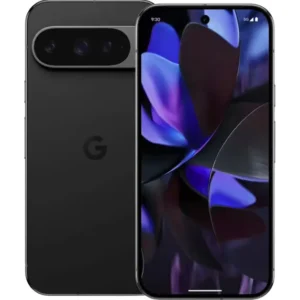
- Google Pixel 8 and Pixel 9. Seven years of updates under Google’s policy. See the Pixel 8 5G in Hazel or the Pixel 9 in Obsidian.
- Samsung Galaxy S24. Supported into 2031 according to TechRadar’s list. The Galaxy S24 in Marble Gray is one option.
- Samsung Galaxy S23 and S23+. Security patches into 2028 per the same list, often at a lower price. Browse the Galaxy S23 in Graphite or the Galaxy S23+ in Phantom Black.
- Recent iPhones. Apple’s five-to-seven-year pattern makes newer models a safe bet. See the iPhone Air in Sky Blue or the full iPhone range.
Our view: update support is the real shelf life of a phone
We think the right way to buy a phone is to start with how long the software will be supported, then look at the price. A refurbished phone from a model with years of updates left gives you a current, secure device for much less than the same model new, and it keeps one more phone in use instead of in a drawer.
That is the idea behind how we sell. Our phones are tested for functionality, sold in Excellent or Good condition, and covered by a one-year warranty, free 30-day returns and battery-life guarantees that vary by condition. Shipping is free. You can compare phones by model, condition and price, and see the savings against new-device prices on each listing.
Sustainability follows from the same logic. Extending a phone’s life by a few years reduces electronic waste, and the longer support windows now offered by Apple, Samsung and Google make that easier than ever.
Allwell
Find a supported phone for less
If your current phone has stopped getting security patches, or you simply want more years of updates for less money, browse our refurbished Google Pixel, Samsung, iPhone and Motorola ranges. Every phone is tested, covered by a one-year warranty and eligible for free 30-day returns.

Start on Grasshot, filter by model and condition, and pick the one whose support window runs the longest.
FAQ
How do I tell if my phone needs to be updated?
Open the update screen: Settings > General > Software Update on iPhone, or Settings > Software update (or System > Software update) on Android. It shows your current version and any update waiting. On Android, Settings > About phone also shows your security update level, and a notification usually appears when an update is ready.
Is Android 11 still usable in 2026?
The phone will still run, and most apps keep working. The concern is security: Android 11 phones are well past the point where most makers send patches. Android Authority says the end of security updates is the signal to replace a phone, so check your model’s support date first.
Which phone has the most software updates?
Google promises seven years of OS and security updates for Pixel 8 and later, and Samsung offers seven years on flagships since the Galaxy S24. Apple typically supports iPhones for five to seven years of full iOS updates, and often keeps patching longer.
Should I turn on automatic updates?
Yes, for most people. On iPhone, Automatically Install updates overnight while the phone charges on Wi-Fi. Android has an equivalent setting in the update menu. You still get a prompt for large updates on some phones, so keep an eye on notifications.
Sources
- Verizon: iOS or Android phone software not updating
- Google: Learn more about Google system services updates
- Privacy International: An introduction to software updates and why they matter
- Android: Why Android updates matter
- Apple Support: Update your iPhone or iPad
- Samsung: How to update your Galaxy phone or tablet
- Android Help: Update your device
- Pixel Phone Help: When you’ll get software updates on Google Pixel
- Tom’s Guide: 9 phones with the longest software support
- SlashGear: Android phones that will get software updates until 2030
- TechRadar: How many updates does your phone have left?
- BGR: Do Samsung phones depreciate faster than iPhones?
- Android Authority: What it means when your phone isn’t supported anymore
Recommended
Shop with Grasshot
“Looking for a better way to buy your next phone? Explore Grasshot’s selection of refurbished and pre-owned Smartphones including iPhones, Samsung Galaxy devices, Google Pixel, Motorola and many more smartphone devices built for performance without the premium price.”
Related Reading
Shop by condition
Every phone fully tested. Never a cracked screen.
Latest articles


A brand you can trust
Not happy with your purchase? Get in touch and we’ll do our best to make it right. It’s one more way we earn your trust.
Find your next phone
Refurbished and pre-owned phones from the brands you already know.