Skip to navigation
Skip to main content


Activation Lock Meaning: What It Is and Why It Matters

On this page
Shop by condition
Every phone fully tested. Never a cracked screen.
Activation Lock is Apple’s anti-theft feature. It links an iPhone, iPad, Mac, Apple Vision Pro or Apple Watch to the owner’s Apple Account, so nobody else can use or reactivate the device without that account’s password, even after the device is erased. If you are buying a used or refurbished iPhone, the practical meaning is simple: a phone with Activation Lock still on is not yours to use, and a phone that goes straight to the Hello setup screen is ready for you. At Grasshot, every refurbished phone is functionality tested and comes with a one-year warranty and free 30-day returns, which is the kind of footing you want when you buy a pre-owned device online.
Grasshot
Compare refurbished smartphones from major brands, with functionality-tested devices and a one-year warranty for added purchase confidence.
TL;DR
- Activation Lock is a Find My feature from Apple that stops anyone else from using or reactivating a lost or stolen device.
- It turns on automatically when Find My is set up, and it survives a factory reset. That is why a wiped phone can still be locked to its previous owner.
- A locked iPhone shows an “iPhone Locked to Owner” screen. A phone that is ready for a new owner shows the Hello screen.
- Only the original Apple Account holder (or Apple, with proof of purchase in some cases) can remove it. Bypass tools are not a safe fix.
- Samsung Galaxy and Google Pixel phones use a different protection, called Google’s factory reset protection, which works on the same idea.
What Activation Lock means
The name says it: the lock is tied to activation. Every time an iPhone or iPad is set up or restored, it checks in with Apple’s servers. If the device is linked to an Apple Account through Find My, Apple says Activation Lock turns on automatically, stores the link on its activation servers, and is checked every time the device is activated or recovered.
In plain terms:
- Find My is Apple’s feature for locating a lost device. It is switched on in Settings under your name.
- Apple Account (formerly called Apple ID) is the email address and password you use for iCloud, the App Store and other Apple services.
- Activation Lock is the part of Find My that requires that account to erase or reactivate the device.
You will also see it called “iCloud Lock” or “iCloud locked.” These are the same thing in everyday speech. Apple’s Find My page explains that when someone erases a protected device, the Hello screen shows that it is locked, can be located, and still belongs to its owner.
Which devices have it
Apple’s security guide says Activation Lock covers iPhone, iPad, Mac, Apple Vision Pro and Apple Watch. On Macs it has extra requirements. Apple’s Mac page lists macOS Catalina 10.15 or later, a security setting (Full Security on Apple silicon, or Secure Boot on T2 chip Macs), and two-factor authentication on the Apple Account.
Where it came from
Apple introduced Activation Lock on September 18, 2013, with iOS 7. The New York State Attorney General’s Secure Our Smartphones report calls it the first commercially available kill-switch solution in the U.S. and reports that iPhone thefts declined after it was adopted. The idea behind it is that a phone with no resale value is a less attractive target.
How Activation Lock works step by step
- The owner turns on Find My. This usually happens during first setup. Apple links the Apple Account to the device on its activation servers.
- The device is lost, stolen, or simply sold. Nothing changes on the phone itself. The link stays in place.
- Someone erases the phone. A factory reset does not break the link. Apple’s pages state that the lock remains enabled after the device is erased.
- The next setup asks for the owner’s credentials. On iOS or iPadOS 15 or later, Apple notes the phone shows an “iPhone Locked to Owner” screen when it is turned on or woken. Without the right Apple Account details or the device passcode, it stays unusable.
The lock is the reason a legitimate seller signs out of their Apple Account and turns off Find My before handing a phone over. When that step is skipped, the buyer is left holding a phone that cannot be set up.
What it means when you buy a used or refurbished iPhone
This is where most shoppers meet the term. A used iPhone can look perfect, hold a strong battery and still be unusable if the previous owner never removed it from their account.
Apple’s guidance for people buying a preowned iPhone is direct: do not buy one with Activation Lock enabled. In person, if the “iPhone Locked to Owner” screen appears, ask the seller to enter their password. If it appears after an online purchase, Apple says to return the phone.
Signs the lock is off
| What you see on power-up | What it means |
|---|---|
| Hello screen, ready for language and setup | The phone is free of Activation Lock and ready for a new owner |
| “iPhone Locked to Owner” screen | Activation Lock is on. Do not keep the phone |
| A request for someone else’s Apple Account email and password during setup | The phone is still linked to the previous owner |
Macworld’s Glenn Fleishman advises buyers to watch a device power up without an Activation Lock message and to ask for proof that it was removed from the owner’s account before paying. He also notes that many locked MacBooks have come from governments or companies that did not follow proper procedures when retiring devices. Phones that passed through business hands are the same risk.
Why the source of the phone matters

When you buy from a stranger, you are trusting one person to have signed out correctly, and you often have no recourse if they did not. A refurbished retailer works differently: you buy from a store with published return terms. At Grasshot, phones are tested for functionality and sold in Good or Excellent condition, with a one-year warranty and a free 30-day return period. If a phone arrives and does not set up the way it should, you are inside a return window instead of arguing with a private seller. For what a warranty typically covers, see our guide to the refurbished phone warranty.
A quick checklist when your phone arrives
- Power the phone on and confirm it reaches the Hello screen.
- Go through setup with your own Apple Account. If it asks for someone else’s account, stop.
- Confirm the phone’s model and details match the listing. Our guide to what an IMEI number means shows how to find and read that identifier.
- Check that it works with your carrier using our carrier compatibility guide.
- Keep the box and packaging until you are sure you are keeping the phone, so a return is easy inside the 30 days.
Can Activation Lock be removed?
Yes, but only through the right account. Apple’s removal page describes the legitimate routes:
- Enter the Apple Account and password used to set up the device, or the device passcode, on the lock screen.
- Remove the device remotely. If the phone is offline, the owner can sign in at icloud.com/find and choose “Remove This Device.”
- Recover the account. If the owner forgot their details, they can try an email address or phone number used for Apple services. With proof of purchase, they can start an Activation Lock support request with Apple.
- Contact IT for work phones. If a business or school owns the device, Apple says the user should go to their IT department or manager.
Avast, a security software company, makes the same point: Apple will not remove Activation Lock just because you bought a locked secondhand device. It also warns that third-party tools claiming to bypass the lock permanently are often unreliable and may expose the device to malware or break functionality.
So if you are the buyer, the only clean fix is the previous owner removing the device from their account. That is exactly why it is best to avoid the situation in the first place.
If you are selling or trading in your own iPhone
Before you hand a phone to anyone, sign out of your Apple Account, turn off Find My, and then erase the phone. This is the step that leaves the phone at the Hello screen for its next owner. It is also what makes a refurbished phone possible: devices that are properly cleared can be tested, graded and given a second life, which keeps them out of the e-waste stream.

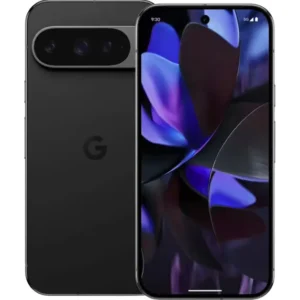
Is there an Activation Lock on Samsung Galaxy and Google Pixel?
Activation Lock is an Apple name, but Android phones have a comparable protection. Google calls it factory reset protection. Google’s Android Help explains that if a protected device is reset to factory settings without permission, only someone with the Google Account or the screen lock can use it. Samsung’s support page on Google Device Protection for Galaxy phones describes the same check, which uses your Google account information to verify your identity before a factory data reset.
In practice, the advice is the same across brands:
- Sign out of your accounts before selling a phone.
- When you receive a used phone, go through setup with your own account.
- If the phone asks for a stranger’s account after a reset, it is not ready for you.
The iPhone lock is the one buyers hear about most, and the one that gives the most trouble on the used market, which is why the search term has the Apple name attached.
Perspective
Activation Lock is a good feature. It protects owners, and it has made stolen iPhones harder to resell. For a refurbished buyer, it also draws a clear line between a phone that is truly ready for you and one that is not.
That is why we think the retailer you buy from matters as much as the phone. Our phones are tested for functionality, sold in Good or Excellent condition, and backed by a one-year warranty, battery-life guarantees that vary by condition, free standard shipping and free 30-day returns. Those terms exist so that you can buy a pre-owned phone with confidence and save against the price of a new one.
There is also an environmental reason to care. Every phone that gets cleared, tested and sold again is a phone that does not become electronic waste. Extending a device’s life is part of how we make smartphones more accessible to more people.
Allwell
Where to find a refurbished phone that is ready to use
If you want a pre-owned phone without guesswork, start with the category that fits your brand. Our refurbished iPhone selection covers a range of models, and listings show the savings against new-device prices. If you prefer Android, browse Samsung phones, Google Pixel or Motorola. You can compare by model, condition and price, then check out with free standard shipping.

Not sure refurbished is right for you? Our guide on whether refurbished phones are worth it walks through what to weigh before you buy.
FAQ
What does Activation Lock mean on an iPhone?
It means the iPhone is tied to the Apple Account of its owner through Find My. Nobody else can use or reactivate it without that account’s details, even after a factory reset. If you see “iPhone Locked to Owner,” the lock is on.
Is Activation Lock the same as iCloud Lock?
In everyday use, yes. People say “iCloud locked” to describe a phone that is stuck on Activation Lock because it is still linked to a previous owner’s Apple Account. Apple’s own name for the feature is Activation Lock.
How do I know if a used iPhone has Activation Lock?
Turn it on and look at the first screen after a reset. If it shows the Hello screen, it is ready for you. If it shows “iPhone Locked to Owner” or asks for another person’s Apple Account, it is locked, and Apple advises returning a phone bought online.
Can I remove Activation Lock if I forgot my Apple Account password?
If the phone is yours, Apple lets you try an email address or phone number you used for Apple services, and you can start a support request with proof of purchase. The steps are on Apple’s removal page. If the phone belongs to a previous owner, they must remove it from their account.
Do Samsung and Google Pixel phones have Activation Lock?
Not by that name. Android phones use Google’s factory reset protection, which asks for the Google Account or screen lock after an unauthorized reset. Samsung phones also show this as Google Device Protection.
Sources
- Activation Lock for iPhone and iPad – Apple Support
- If you want to buy a preowned iPhone – Apple Support
- How to remove Activation Lock – Apple Support
- Activation Lock for Mac – Apple Support
- Activation Lock security – Apple Platform Security
- iCloud Find My – Apple
- Secure Our Smartphones Initiative one-year report – New York State Attorney General
- Don’t buy locked Apple hardware – Macworld
- How to Bypass Activation Lock on iPad, iPhone & Mac – Avast
- Help prevent others from using your device without permission – Android Help
- Google Device Protection on your Galaxy phone or tablet – Samsung
Recommended
Shop with Grasshot
“Looking for a better way to buy your next phone? Explore Grasshot’s selection of refurbished and pre-owned Smartphones including iPhones, Samsung Galaxy devices, Google Pixel, Motorola and many more smartphone devices built for performance without the premium price.”
Related Reading
Shop by condition
Every phone fully tested. Never a cracked screen.
Latest articles


A brand you can trust
Not happy with your purchase? Get in touch and we’ll do our best to make it right. It’s one more way we earn your trust.
Find your next phone
Refurbished and pre-owned phones from the brands you already know.