Skip to navigation
Skip to main content


How to Replace a Lost Phone Fast Without a Trade-In

On this page
Shop by condition
Every phone fully tested. Never a cracked screen.
The fastest way to replace a lost phone is to secure it and your accounts first, check whether you have a claim you can use, and then buy a tested refurbished phone outright if you do not. A refurbished replacement from Grasshot comes with a one-year warranty and free 30-day returns, so you get a working phone back in your hand without a trade-in and without paying new-phone prices.
This guide covers the same steps for a lost, stolen or damaged phone. The order matters: protecting your accounts costs nothing and takes minutes, while choosing a replacement can wait until you know your options.
Grasshot
Grasshot offers tested refurbished phones in Good or Excellent condition, with a one-year warranty and free 30-day returns.
TL;DR
- Lock the lost phone, sign it out of your accounts and ask your carrier to suspend service before you shop for anything.
- Do not remove a stolen iPhone from Find My. That would remove Activation Lock.
- Insurance claims carry deductibles and conditions, so compare the deductible with the price of a replacement before you file.
- You do not need a trade-in: you can pay in full for a phone, and a refurbished one costs less than a new one.
- Grasshot refurbished phones are tested for functionality, sold in Good or Excellent condition and covered by a one-year warranty and free 30-day returns.
Table of Contents
- Step 1: Lock the phone and protect your accounts
- Step 2: Call your carrier and report the phone
- Step 3: Check what you already have
- Step 4: Replace the phone without a trade-in
- Step 5: Choose the right replacement
- Step 6: Set up the new phone safely
- If your phone is damaged, not lost
- Get a tested replacement today
- FAQ
- Sources
Step 1: Lock the phone and protect your accounts
Before you think about a replacement, make the missing phone useless to anyone who finds it. Do this from another phone or a computer.
- Call or message the phone. It may be in a coat, a car seat or a friend’s bag. If you are unsure, leave a short message with a contact number for whoever finds it.
- Use the location tool. iPhone owners can sign in at iCloud.com/find. Android owners can use Google’s device-location tool through their Google Account.
- Put the phone in Lost Mode or lock it remotely. On an iPhone, mark it as Lost. On Android, use the lock option in the same Google tool.
- Sign the device out of your accounts. For Google, open Google Account, then Security, then Your devices, sign the lost device out and change your password.
- Change passwords, starting with your email. Email resets every other password, so it comes first. Then do banking, payment apps and social media.
- Remove stored payment methods. Disable cards saved in wallet apps and app stores, and watch your statements for charges you do not recognize.
The Guardian’s practical guide to a lost or stolen phone follows the same sequence: block the SIM through your carrier, check for charges billed to your account, disable stored cards, and change important passwords beginning with email.
One mistake to avoid on a stolen iPhone
If your iPhone was stolen, mark it as Lost at iCloud.com/find rather than removing it from Find My. Removing it from Find My removes Activation Lock, which makes the phone easier to erase and resell. Erase the phone remotely only if you decide you will not get it back.
Step 2: Call your carrier and report the phone
Call your carrier, or sign in to your account, and ask them to suspend service on the line. This stops calls, texts and data use on your plan. It also protects you from someone running up charges.
If the phone was stolen, file a police report and keep the phone’s IMEI, the 15-digit device identifier. You can find it on the original box, in your carrier account or in your Apple or Google account device list. Carriers can use the IMEI to block a stolen device on their network and, in many cases, share that block with other carriers, so a new SIM card will not bring it back to life. If the phone turns up, the block can usually be lifted.
Lost or stolen: which should you report?
Report a phone as stolen when you believe someone took it, and as lost when you simply cannot find it. A theft report gives you a police report number, which insurers often ask for. If you are not sure, start with the lock-and-locate steps above and decide after a day or so. Do not wait to suspend the line, though.
Step 3: Check what you already have
Before you pay for anything, spend ten minutes looking at what covers you today. There are four common routes.
| Route | What it means | What to check |
|---|---|---|
| Device protection through your carrier | A monthly plan that covers loss, theft or damage | Deductible, claim limits, whether the claim must be filed within a set time |
| AppleCare+ with Theft and Loss | Apple’s coverage for iPhone | Find My must have been on when the phone went missing |
| Credit card or home insurance | Some policies cover phones | Whether loss is covered or only theft, and the deductible |
| No coverage | You buy a replacement yourself | Price, warranty and return terms |
What an insurance claim can cost
A claim is not free. Under AppleCare+ with Theft and Loss in the U.S., the theft-or-loss deductible is $149 for all iPhones, and coverage allows up to two theft-or-loss incidents in each 12-month period. The same disclosure requires Find My to have been enabled when the iPhone was lost or stolen and to stay enabled and tied to your Apple Account through the claim. That is one more reason to turn Find My on for every phone you own.
Carrier protection plans work similarly: a monthly fee, then a deductible per claim, with a limit on how many claims you can make in a year. The replacement you receive through insurance is often a refurbished device as well, so the choice is rarely between new and refurbished. It is between a deductible and the cost of buying outright.
A quick way to decide: add the deductible to the time you will wait for the claim, and compare that with the price of a tested refurbished phone you can order today. If the deductible is close to what a good refurbished model costs, buying directly is simpler. It also leaves your claim history untouched.
Check your installment balance
If you were paying off the lost phone in installments, the balance does not go away when the phone does. You still owe it, and you usually have to stay on an eligible plan while it is being paid. Look at your carrier account to see exactly what remains before you decide on a replacement. It tells you how much you are really spending on the next phone.
Step 4: Replace the phone without a trade-in
There is nothing to trade in when a phone is gone. That is the problem with many promotions, which are built around handing in an old device. You have four ways to get a phone without one:
- Buy a refurbished phone outright. You pay one price, choose any model and own the phone from day one.
- Move your SIM to another phone you own. A spare or older phone can hold you over while you shop.
- Finance a new phone. This works, but a new phone financed through a carrier stays locked to that carrier until it is paid off, which limits where you can use it.
- Pay full price for a new phone. It works, but it is the most expensive route.
For most people replacing a lost phone, the first option is the strongest. It avoids a new installment contract, a carrier lock, a deductible and a wait. You also pick a model that fits your budget rather than the one a promotion pushes you toward.
Why a refurbished phone is the sensible replacement
A refurbished phone is a pre-owned phone that has been restored to working order and sold with a stated condition grade. Grasshot phones are tested for functionality and sold in Good or Excellent condition. Each comes with a one-year warranty, free 30-day returns, free delivery and a battery-life guarantee that varies by condition. Listings also show the saving against the price of a new phone, so you can see what you keep.
That combination matters most at the moment you have lost a phone. You need something that works, you did not plan the spending, and you do not want a second problem. The warranty and the return window are there for exactly that situation. You can read how refurbished phone warranties work and how to compare them, or see our answer to whether refurbished phones are worth it.
Step 5: Choose the right replacement
When you know you are buying outright, the choice comes down to a few checks.
Match the platform to your accounts
If you used an iPhone, another iPhone restores your apps, messages, photos and purchases with the least effort. If you used a Samsung Galaxy or a Pixel, a phone from the same family restores from your Google account. Switching platforms is possible, but it takes more time at a stressful moment.
Check storage and carrier compatibility
Grasshot organizes listings by manufacturer, model, storage, carrier and condition. Pick the storage you had before, or one step up if you were always short on space. Then confirm the phone works with your carrier. A phone sold as unlocked, such as the Samsung Galaxy S23 Graphite, is labeled that way on its listing, so check the listing for the carrier line before you order.
Read the condition grade
Excellent means a phone in the best cosmetic shape. Good means visible signs of use that do not affect how it works. If you are replacing a phone you will put in a case anyway, Good condition is often enough and lowers the price further.
Look at the warranty and returns
A refurbished phone should come with a clear return window and a warranty. Ours has both: a one-year warranty and free 30-day returns. Use the return window to set the phone up, restore your data and confirm the camera, speakers, charging and signal all work as you expect.
Browse by brand
- iPhone for the Apple ecosystem, including models such as the iPhone SE (2022).
- Samsung Galaxy phones, including the Galaxy S24.
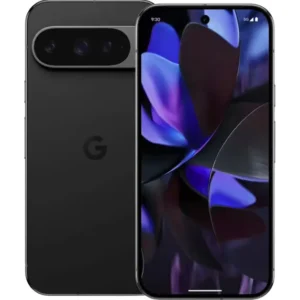
- Google Pixel, including the Pixel 8.
- Motorola, including the Moto G Power 5G (2024).
Step 6: Set up the new phone safely
Once the replacement arrives, protect it from day one.
- Sign in to your Apple Account or Google Account and restore from your latest backup.
- Turn on Find My or Find Hub-style location tools immediately, so the next missing phone is easy to find and so insurance conditions are met.
- Set a strong passcode and enable biometrics.
- Add your contact number to the lock screen, a quick fix that helps an honest finder reach you.
- Turn on automatic cloud backup. The next replacement will then take minutes.
- Make a note of the new phone’s IMEI and keep it with your important documents.
If your phone is damaged, not lost
The same logic applies when a phone is cracked or water-damaged but still on your desk. Standard manufacturer warranties generally cover defects, not drops or liquid damage, which usually need protection coverage or a paid repair. Under AppleCare+ with Theft and Loss, for example, there is a $29 fee for screen or back-glass damage and a $99 fee for other accidental damage, as the program disclosure states.
If the phone is several years old, or the repair would cost a large share of a replacement, a refurbished phone usually makes more sense. You get a newer device, a fresh battery guarantee and a one-year warranty instead of putting money into an older phone.
Our view on replacing a phone
A lost phone is rarely a good moment to make a big purchase. You are dealing with locked accounts, a carrier call and a deadline, and the replacement should be the easy part.
That is why we built Grasshot around purchase confidence. Our phones are tested for functionality, sold in Good or Excellent condition and covered by a one-year warranty. You can return them free within 30 days, and delivery is free. You see the saving against a new phone on the listing, so you know what you are paying and what you are keeping.
We also think extending a phone’s life is the right default. Every device that gets a second owner is one fewer to be made and one fewer to be thrown away. For someone who has just lost a phone, that happens to be the cheaper option too.
Allwell
Get a tested replacement today
If you have locked your accounts and decided to buy outright, start with the brand you used before. Grasshot lists iPhone, Samsung, Google Pixel and Motorola phones by model, storage, carrier and condition. Each one is tested for functionality and covered by a one-year warranty, with free delivery and free 30-day returns.
If you want to compare before you buy, our refurbished smartphones guide explains conditions, storage and what to look for in a listing.
FAQ
Can someone use my phone if it is stolen?
Not easily if you act quickly. Lost Mode locks a stolen iPhone, and Activation Lock stays in place as long as the phone remains in Find My. Your carrier can also suspend your line and report the IMEI so the phone is blocked on its network. Change your passwords as well, so the lock screen is not your only protection.
Is it better to report a phone lost or stolen?
Report it as stolen if you believe it was taken, and file a police report with the IMEI. Report it as lost if you simply cannot find it. In both cases, lock the phone and suspend the line right away. The wording matters mostly for insurance claims, so check your policy for what each requires.
Can I replace a lost phone without a trade-in?
Yes. You can buy a phone outright, move your SIM to another phone you own, or finance a new device. Buying a refurbished phone is usually the lowest-cost option, since you pay once and the phone is yours. Grasshot’s refurbished phones include a one-year warranty and free 30-day returns.
How long does it take to replace a lost phone?
That depends on the route. An insurance claim involves paperwork, a deductible and shipping time. Buying a phone online means choosing a model, checking out and waiting for delivery, which Grasshot provides for free. Locking your accounts, which is what protects you, takes only minutes and does not wait on the replacement.
Sources
Recommended
Shop with Grasshot
“Looking for a better way to buy your next phone? Explore Grasshot’s selection of refurbished and pre-owned Smartphones including iPhones, Samsung Galaxy devices, Google Pixel, Motorola and many more smartphone devices built for performance without the premium price.”
Related Reading
Shop by condition
Every phone fully tested. Never a cracked screen.
Latest articles


A brand you can trust
Not happy with your purchase? Get in touch and we’ll do our best to make it right. It’s one more way we earn your trust.
Find your next phone
Refurbished and pre-owned phones from the brands you already know.