Skip to navigation
Skip to main content



SIM Card Sizes: Standard, Micro, Nano and eSIM Explained

On this page
Shop by condition
Every phone fully tested. Never a cracked screen.
Three physical SIM card sizes are in everyday use: standard (also called mini), micro and nano. Almost every phone you can buy today takes a nano SIM or an eSIM, which is a digital SIM with no card at all. If you are shopping for a refurbished phone, the practical question is simple: does the phone you want take a nano SIM, an eSIM, or both? This guide gives you the measurements, the phones that use each size, and a quick way to check yours. It also covers what to do if your carrier sends the wrong size.
Grasshot
Compare refurbished smartphones by model and condition as you check which devices use a nano SIM, eSIM, or both.
TL;DR
- There are four removable SIM sizes: full-size (1FF), mini (2FF), micro (3FF) and nano (4FF). Nano is the smallest, at 12.3 x 8.8 mm.
- Nano is the size in nearly all modern smartphones. Micro and mini belong to older phones.
- A smaller SIM can be used in a larger slot with an adapter. The reverse does not work, and cutting a SIM down risks damaging it.
- Every iPhone 14 and later model sold in the United States has no SIM tray and uses eSIM only, so check the model before you buy.
- To find your size, look up the phone model, check the manual, or pop out the tray and compare the card with the measurements below.
The four SIM card sizes and their dimensions
A SIM card is the small chip card that identifies your phone number and plan to your carrier’s network. Over the years it has shrunk to make room for thinner phones and bigger batteries. The chip and its contacts stay the same. Only the plastic around them has changed. According to DataSIM’s technical reference, based on the ETSI TS 102 221 standard, all removable sizes share the same contacts and electrical interface, so only the outline (and the thickness of the nano) differs.
Here are the sizes as DataSIM lists them, with inch conversions from WhistleOut’s SIM size guide for the three sizes still found in phones:
| Size | Technical name | Dimensions (mm) | Dimensions (inches) | Where you find it |
|---|---|---|---|---|
| Full-size | 1FF | 85.60 x 53.98 x 0.76 | n/a | The earliest phones (credit-card sized) |
| Mini (standard) | 2FF | 25 x 15 x 0.76 | 0.98 x 0.59 | Older phones |
| Micro | 3FF | 15 x 12 x 0.76 | 0.59 x 0.47 | Early smartphones |
| Nano | 4FF | 12.3 x 8.8 x 0.67 | 0.48 x 0.35 | Modern smartphones |
A few notes on reading this table:
- “Standard” and “mini” mean the same thing in most carrier help pages. If a page lists standard, micro and nano, it is talking about 2FF, 3FF and 4FF.
- Nano is thinner as well as smaller. At 0.67 mm against 0.76 mm, a nano SIM sits slightly flatter than the others.
- The full-size card is the one you will almost never meet. It is the size of a credit card, and you would only see it in a museum drawer or in the oldest handsets.
If you want a sense of scale, the nano SIM is about the size of a fingernail. That is why so many phones have a tiny tray that you open with a pin.
Which phones use which SIM size
The size follows the age of the phone. Apple’s own support page, Which size SIM card your iPhone or iPad uses, gives a clear timeline for iPhones:
- iPhone 3G and 3GS use a standard-size SIM.
- iPhone 4 and 4s use a micro SIM.
- iPhone 5 through iPhone 13 have a nano-SIM tray. Some of those models also support eSIM.
- iPhone 14 through 16 models bought in the United States, and the iPhone Air, are eSIM-only. They have no tray.
Android phones follow the same pattern with different dates. Samsung’s installation guide for the Galaxy S24 series says to use only nano-SIM cards in that phone, and notes that the phone also supports an eSIM, which you add under Settings > Connections > SIM manager > Add eSIM. That mix of a nano tray plus eSIM is common on current Samsung Galaxy models.
The takeaway: if the phone was released in the last decade or so, expect nano, eSIM, or both. Mini and micro cards matter mostly if you are reviving an old handset or using a tablet or other device with an older slot.
How to find the SIM size your phone takes
You do not need to guess. Try these in order, from easiest to most hands-on:
- Search the model name and “SIM size.” Most manufacturers list the SIM type for each device on their support pages. This takes under a minute and works for any phone.
- Check the manual or the box. Printed guides and the phone’s settings menu usually say whether the phone has a nano-SIM slot, an eSIM, or both.
- Open the tray. Push a SIM ejector pin or a straightened paperclip into the small hole beside the tray. Keep the pin straight, as Samsung’s guide notes, and pull the tray out fully. Compare the card or the cutout against the table above. WhistleOut’s guide also recommends looking up your model number or popping out the tray to see what it takes.
- Look for the notched corner. A SIM has one clipped corner. When you insert it, the clipped corner needs to match the shape of the tray. Gold contacts face the direction your phone’s guide shows. Samsung’s guide says to place the SIM with the gold contacts facing outward and press it firmly into the tray.
If you find no tray at all, the phone is eSIM-only. That is normal for newer US iPhones, as covered below.
Can you use a different SIM size than your phone takes?
Sometimes. The direction matters.
Going smaller to larger: use an adapter
A nano SIM can sit inside a micro or mini slot if you place it in an adapter, a thin plastic frame that fills the larger footprint. The chip is not changed. The adapter only holds it in the right place. GottaBeMobile’s resizing guide notes that making a SIM larger needs only an adapter, and that multi-size adapter sets are inexpensive, at about $5 when that guide was written in 2016.
Going larger to smaller: do not force it
You cannot put a micro SIM into a nano slot, and WhistleOut states plainly that a nano SIM will not work in a micro slot either. Cutting a bigger card down with scissors and a template is possible, but it is easy to cut into the chip. Apple warns that a modified SIM might not connect to cellular networks and that damage from it is not covered by the hardware warranty. If you have the wrong size, the cleaner fix is to ask your carrier for a replacement in the right size.

The easiest option: a triple-cut SIM
Many carriers supply SIMs as a “triple cut” card. DataSIM explains that the mini, micro and nano outlines are pre-cut into one carrier, so you press out the size your device takes. Press gently along the perforation and keep the leftover frame in case you change phones later. If you buy a multi-size kit, ByteSIM coupon codes can take a little off the price.
One handling tip: once you pop out a smaller size, keep the surrounding plastic. It often works as an adapter if you move the SIM to an older phone.

eSIM: when there is no card at all
An eSIM is a SIM built into the phone. Your carrier sends a digital profile instead of a plastic card, so there is nothing to size. It has no measurable dimensions because it is not a removable card.
This is already the norm on some phones. Apple’s page states that iPhone 14 through 16 models purchased in the United States are eSIM-only. If you are choosing between an older and a newer iPhone, that is the main practical difference to know:
- Phones with a nano tray (for example, iPhone 13 and earlier, back to iPhone 5) let you move a physical SIM between phones in seconds.
- eSIM-only iPhones need the carrier to move your line to a digital profile. In the United States, upgraders typically use Apple’s transfer option under Settings > Cellular > Add eSIM when moving between iPhones, or ask their carrier to convert the line.
Devices with both, such as the Galaxy S24 series, give you the choice. Many people keep a physical SIM for their main number and add an eSIM for travel or a second line.
Beyond phones, there are non-removable formats such as MFF2, a chip of about 6 x 5 mm soldered to a circuit board, which DataSIM describes for connected devices. You will not meet this in a consumer smartphone.
Checking SIM size before you buy a refurbished phone
SIM size is one of the easiest things to check before you order, and it only takes a minute on a product page. Here is a short routine:
- Decide how you want to use your SIM. Do you want to swap a physical card from your current phone, or are you happy to move to an eSIM?
- Check your current phone’s size. Use the steps above. If your current phone takes a nano SIM and the new one does too, you can move the card directly.
- Check the new model’s SIM setup. An iPhone 13 Mini, for instance, is in the range Apple lists with a nano-SIM tray. The iPhone Air is eSIM-only.
- Contact your carrier if you are switching to eSIM. Your carrier can convert the line, and carriers also send replacement nano SIMs when you need one.
- Keep your old SIM until the new phone is working. Do not trim or discard it until the transfer is confirmed.
On Grasshot, listings are organized by manufacturer, model, storage, carrier and condition, so you can narrow down to the exact phone before checking its SIM setup. Each phone is tested for functionality, sold in Good or Excellent condition, and covered by a one-year warranty.
Quick answers by phone family
Use this as a starting point, then confirm on the maker’s support page for the exact model.
| Phone family | What to expect | Source |
|---|---|---|
| iPhone 5 to iPhone 13 | Nano-SIM tray (some also support eSIM) | Apple |
| iPhone 14 to 16, iPhone Air (US models) | eSIM only, no tray | Apple |
| Samsung Galaxy S24 series | Nano-SIM plus eSIM | Samsung |
For other Samsung Galaxy, Google Pixel and Motorola models, search the model name with “SIM” on the manufacturer’s support page. Newer models generally follow the nano and eSIM pattern described above.
Where to find a phone that fits your SIM
If you want to keep using a physical SIM, shop for models with a nano tray. If you are ready for eSIM, you have more options. Either way, a refurbished phone costs less than a new one, and Grasshot’s listings show the savings against new-device prices.
A few places to start:
- iPhone listings, including iPhone 13 Mini models, which Apple lists in its nano-SIM range.
- Samsung phones, including the Galaxy S24, which takes a nano-SIM and supports eSIM.
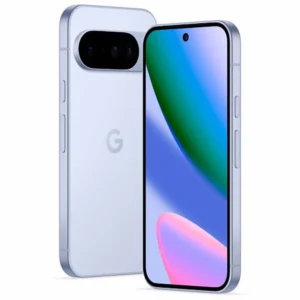
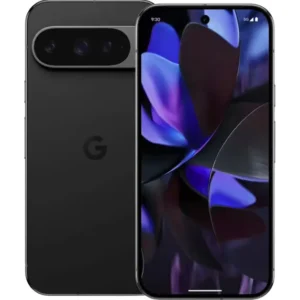
- Google Pixel and Motorola phones.
If you want more on what a warranty covers before you decide, our guide to the refurbished phone warranty walks through it.
Why we recommend checking before you choose
We think SIM size is a good example of a detail that is simple once you know it and frustrating if you do not. The size is set by the phone, not by the carrier, and it follows the phone’s age. That makes it one of the few buying details you can settle in a minute with the model name.
That is one reason we organize our listings by manufacturer, model, storage, carrier and condition. When you shop by model, you can check the SIM setup for that exact phone before you order. Each phone we sell is tested for functionality and sold in Good or Excellent condition.
We also think confidence matters as much as price. Every phone comes with a one-year warranty, free delivery and a free 30-day return period, so you can move your line over and make sure the phone works for you. Buying refurbished also keeps a working phone in use for longer, which reduces electronic waste.
Our advice: confirm nano, eSIM or both, then pick the model and condition that fits your budget.
Allwell
Browse refurbished phones at Grasshot
Once you know which SIM setup you need, you can shop by manufacturer and compare condition and price side by side. Grasshot sells refurbished and pre-owned iPhone, Samsung, Google Pixel, Motorola and BLU phones, each tested for functionality and backed by a one-year warranty, free delivery and a free 30-day return period.

Not sure whether a refurbished phone is the right move? Our guide on whether refurbished phones are worth it covers what to know before you buy.
FAQ
What is the smallest SIM card size?
The nano SIM (4FF) is the smallest removable size, at 12.3 x 8.8 mm and 0.67 mm thick, according to DataSIM. The eSIM is smaller still because it is built into the phone and has no card to measure.
What SIM card size does my phone use?
Search your phone’s model name with “SIM size,” check the manual, or pop out the tray and compare the card with the measurements. Most phones sold in the past decade use nano, eSIM, or both. For iPhones, Apple’s list by model is the quickest check.
Can I put a nano SIM in a micro or standard slot?
Yes, with an adapter. An adapter is a plastic frame that holds the smaller card in the larger slot without changing the SIM. The reverse does not work. A larger SIM will not fit a smaller tray, and cutting one down can damage the chip, so ask your carrier for the right size instead.
Does the iPhone 13 Mini use a nano SIM?
Apple’s SIM size list places iPhone 5 through iPhone 13 in the nano-SIM group, and some of those models also support eSIM. The iPhone 13 Mini falls in that range, so a nano SIM from your carrier will fit.
Do newer iPhones have a SIM card slot?
In the United States, no. Apple lists iPhone 14 through 16 models bought in the US, and the iPhone Air, as eSIM-only. You activate service with an eSIM profile from your carrier instead of inserting a card.
Sources
Recommended
Shop with Grasshot
“Looking for a better way to buy your next phone? Explore Grasshot’s selection of refurbished and pre-owned Smartphones including iPhones, Samsung Galaxy devices, Google Pixel, Motorola and many more smartphone devices built for performance without the premium price.”
Related Reading
Shop by condition
Every phone fully tested. Never a cracked screen.
Latest articles


A brand you can trust
Not happy with your purchase? Get in touch and we’ll do our best to make it right. It’s one more way we earn your trust.
Find your next phone
Refurbished and pre-owned phones from the brands you already know.